It has been breaking the VPN apps for 7 months
Using a VPN app is pretty straightforward. You simply need to select a server to which you want to connect and then hit the connect button. Once the connection is established, the VPN app will keep running in the background while you browse the internet anonymously.
What can you do to restore your connection?
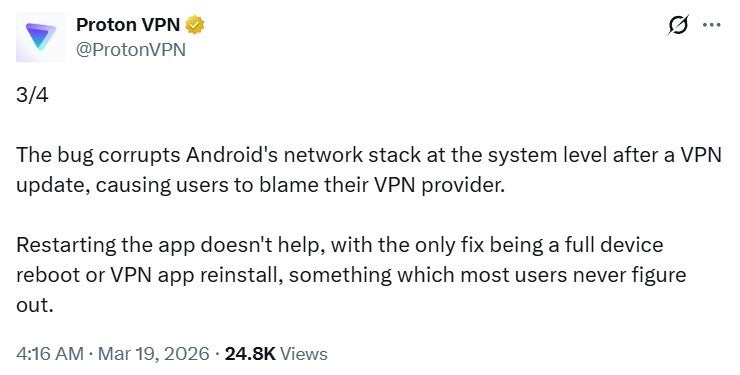
Proton VPN post about Android bug. | Image by Proton VPN on X
As mentioned above, Google has yet to officially address this bug, so no fix is available from them at the moment. Reports indicate that restarting the VPN app also fails to restore the connection. The only thing that appears to be working currently is reinstalling the VPN app. Rebooting the phone seems to also work for some users, so you can try this as well if you face this issue on your device.
That said, given the number of complaints and Proton VPN’s public callout of Google, I’m confident the tech giant will roll out a permanent solution soon. Until then, I recommend keeping an eye on your VPN’s background behavior after updating it on your Android smartphone. If you find that it’s failing to establish a connection, try the fixes mentioned above.
Trending Products

Video Conference Lighting Kit, Ring...

15W LED Video Light Kit

Desk Ring Light for Zoom Meetings &...

SAMHOUSING Ipad Tripod Stand, with ...

LISEN Tablet Stand

LanPavilion iPad Stand, Adjustable ...

DJI Osmo Mobile SE, 3-Axis Phone Gi...
2pcs Original Joystick Parts for Zh...

hohem iSteady M7 Gimbal