Level up your virtual setup with pro gear for casting, interviews, and content creation — be seen, be heard, be unforgettable

If you own a Pixel, you need to read about these two great new features you might use every weekday

This is why many Pixel users love their phone. The quarterly Pixel Drop can add some pretty cool new features. Add to that Google’s history of backporting and that feature you admired on the latest Pixel model becomes yours on your older Pixel phone. Of course, not every Pixel Drop will make your phone feel brand new. Still, you can usually find a few nuggets if you’re a phone enthusiast in addition to being a Pixel owner.

Two great features for commuters were part of the recent Pixel Drop
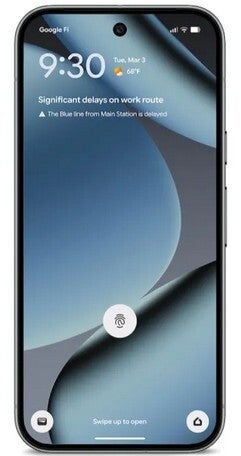
The March Pixel Drop was announced last week and two new features have been added to make commuting easier. If you commute to work every day, you know how hard it can be regardless of whether you drive, take the train, or go back and forth on the bus. The beloved (at least by me) At a Glance widget will start showing information about your daily commute. In typical At a Glance fashion you will soon see warnings such as “Significant delays on work route” and expanding on the message by adding “The Blue line from Main Station is delayed” underneath.

The second feature for commuters is a customized Transit mode that allows your Pixel to use Bluetooth and motion sensors to determine if you’re on a train or bus and will automatically adjust certain settings. For example, you can have the volume turn lower or go silent while on a train or bus so you don’t annoy fellow passengers. To customize these settings, open your Pixel’s Settings app and go to Modes > Transit. Under “Transit”:
You can set the volume, Bluetooth, and more by tapping on App settings.

To set volume settings during transit, you have three options. Tap Sound on, Vibrate only, or Silent.
To set connectivity during transit, turn Use Bluetooth while commuting on or off.

Set up Notification filters.
To receive all notifications, turn on Allow all notifications.
To choose who can send you notifications, tap People.
To set which apps can send you notifications, tap Apps.
To choose which alarms & other interruptions you’ll allow, tap Alarms & other interruptions.

To make sure At a Glance commute alerts and the Transit mode features are set up, when you receive the feature on your Pixel you’ll go to Settings > Modes > Transit > App Settings > Set up commute notifications. You will need to type in the following information:

  • The At a Glance commute alerts use your home and work addresses from Google Maps to determine your most frequent commute and destinations.
  • Confirm your location settings by giving At a Glance permission to send you timely transit info based on your current position. Set it up by going to Settings > Location > Maps and > Allow all the time. Turn on Use precise location.
  • Turning on Timeline allows At a Glance to learn your commute history and patterns so it can show timely updates based on your commute history.
It takes 2-3 weeks for commute information to appear on your Pixel as Google Maps needs time to learn your daily commute. Also, we should tell you that Transit mode and the At a Glance commute alert can also be set up by opening the My Pixel app and tapping on Tips > Everyday Tools.

Bad news for one Pixel series

Now here is the bad news for yours truly and my fellow Pixel 6 series users. This feature requires that the user is rocking a Pixel 7 or later, which means that these two features require the Tensor G2 application (AP)processor. Since the Pixel 6 Pro is powered by the OG Tensor AP, the phone is shut out. I can’t get too angry at Google since the Pixel 6 Pro was originally supposed to lose support after it was updated to Android 15. But Google was able to extend the support timeline and the Pixel 6 series will get Android 17.

Grab Mint’s 3-month 5GB plan for $10/mo!

Right now, you can take advantage of Mint Mobile’s 5GB 3-month data plan at a solid discount. This ‘last chance’ promo lets you save $5/mo on the plan, making it simply too good to resist for those looking for a reliable and affordable service.


Buy at Mint Mobile

Trending Products

- 10% Video Conference Lighting Kit, Ring...
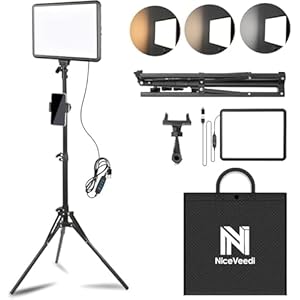
Original price was: $21.99.Current price is: $19.79.

Video Conference Lighting Kit, Ring...

0
Add to compare
- 32% 15W LED Video Light Kit
Original price was: $50.60.Current price is: $34.19.

15W LED Video Light Kit

0
Add to compare
- 25% Desk Ring Light for Zoom Meetings &...
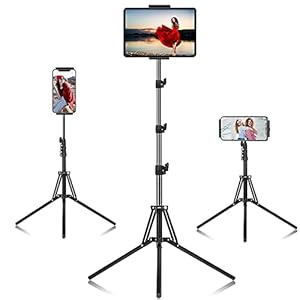
Original price was: $29.25.Current price is: $21.99.

Desk Ring Light for Zoom Meetings &...

0
Add to compare
- 37% SAMHOUSING Ipad Tripod Stand, with ...
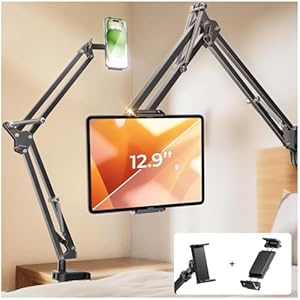
Original price was: $28.60.Current price is: $17.99.

SAMHOUSING Ipad Tripod Stand, with ...

0
Add to compare
- 40% LISEN Tablet Stand
Original price was: $44.80.Current price is: $26.99.

LISEN Tablet Stand

0
Add to compare
- 37% LanPavilion iPad Stand, Adjustable ...
Original price was: $47.38.Current price is: $29.99.

LanPavilion iPad Stand, Adjustable ...

0
Add to compare
- 28% DJI Osmo Mobile SE, 3-Axis Phone Gi...
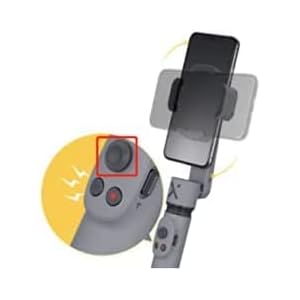
Original price was: $95.91.Current price is: $69.00.

DJI Osmo Mobile SE, 3-Axis Phone Gi...

0
Add to compare
- 33% 2pcs Original Joystick Parts for Zh...
Original price was: $22.49.Current price is: $14.99.

2pcs Original Joystick Parts for Zh...

0
Add to compare
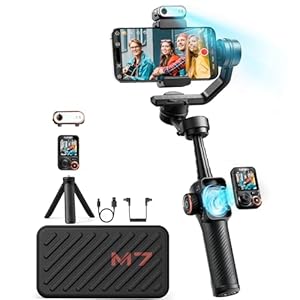
- 35% hohem iSteady M7 Gimbal
Original price was: $416.95.Current price is: $269.00.

hohem iSteady M7 Gimbal

0
Add to compare
- 20% Hohem iSteady M6 Kit Smartphone Gim...
Original price was: $209.00.Current price is: $167.20.

Hohem iSteady M6 Kit Smartphone Gim...

0
Add to compare
.

We will be happy to hear your thoughts

Leave a reply

ICU Must Haves
Logo
Register New Account
Compare items
  • Total (0)
Compare
0
Shopping cart